Blog › Digital stamps for PDF and Word
How to stamp a contract, a receipt or a certificate
9 September 2026 · Stamp-Seal
Make your stamp free · Browse 225 templates
How to stamp a contract is the same set of clicks as how to stamp a receipt, and the clicks are not the interesting part: open the file, place the mark, download it. What changes from one document to the next is which mark it wants and where on the page that mark belongs, and getting those two wrong is what makes a stamped document look wrong.
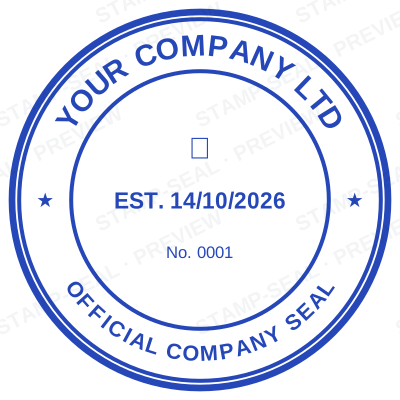
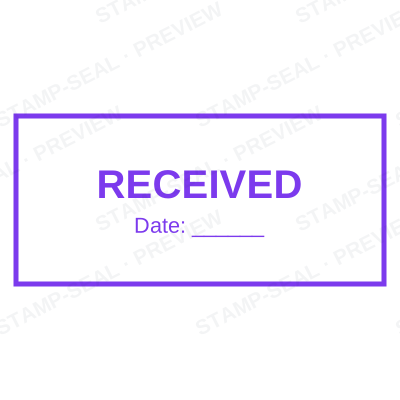
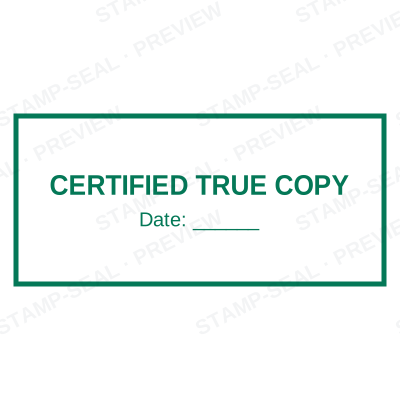
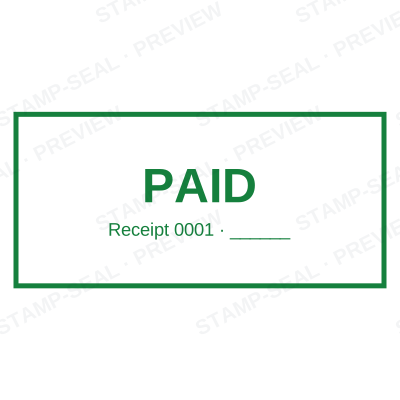
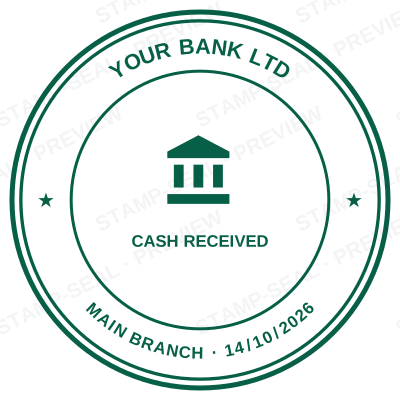

Open the stamp maker and start from any of these
The mechanics, once
- Open the document stamper and choose the file. It opens in your browser and is not uploaded.
- Pick the stamp, or design one there.
- Click the page where the mark goes, then drag or resize it.
- Set the date if the mark carries one.
- Download. Your original file is untouched.
One click document stamping is a fair description of the middle step and a poor description of the decision before it, which is the rest of this article.
How to stamp a contract
The mark goes beside the signature block, not across it. A contract already has a designated space, usually a box or a ruled line by each party's signature, and the stamp belongs in or next to that space.
Use the company seal rather than an office stamp: the reader wants to know which legal entity is bound, which is what a seal says. No date on the seal itself, because the contract carries its own date; if a date is wanted, it belongs in a separate dated line beside the signature.
How to seal a contract in the older sense, executed under seal, is a different question: the requirement is set by the law of the place it is governed by and by the document itself, so check the execution clause rather than assuming.
How to stamp a receipt
A receipt wants PAID or RECEIVED with a date, and it wants it in the clear space, usually the lower half or beside the total. Do not put it over the figures: the one thing a reader has to be able to read on a receipt is the amount.
How to seal a receipt is the same question with a different word: to make it official, the company mark goes beside the paid mark, not on top of it. Two marks, side by side, each doing its own job.
How to stamp a certificate
Certificates are the one case where the mark is part of the design. It goes bottom left or bottom centre, in the space the layout already leaves for it, at the size the border implies. Overlap the printed border and it reads as an afterthought.
A certificate stamp is usually a seal rather than a status stamp, often with a signature across it, and often with a serial number so the certificate can be looked up later.
Read more: Serial numbers on a stamp: what they prove and how to keep them unique
How to stamp a bank letter
Bank paperwork is the strictest audience on this list. The mark wanted is the registered company seal with the registration number on it, placed beside the authorised signature, and many banks specify the position on their own form.
Where a bank has given you a form with a box marked for the seal, use the box. It is checked against a specimen they hold, and a mark in the wrong place is a returned form.
How to stamp a school document
Two different marks, depending on what the document is. A transcript, a testimonial or a letter of recommendation carries the school seal, usually beside the head teacher's signature. An administrative note, a received slip or a permission form carries the office stamp with a date.
A certified copy of a school document is different again: it wants a certified true copy stamp with the certifier's name, title and the date.
How to stamp a medical report
The professional mark, not the practice's office stamp: the name, the qualification, and the registration or council number, beside the signature.
What a medical mark must carry, and whether a digital one is accepted on a report or a prescription, is set by the council or board you are registered with and differs by country. Check your own registration rules rather than relying on any layout here, and only produce a mark for credentials you actually hold.
How to add a seal to an agreement, when you are not sure
Three questions, in order.
Who is the mark speaking for? A company answers with a seal, a person with a professional mark, a department with an office stamp.
Does the document record an event? If yes, the mark wants a date. If it records identity, it does not.
Where has the layout left space? That is where it goes. A document designed for a mark tells you where the mark belongs, and the ones that do not are the ones where you have to look for clear ground rather than covering a figure.
Questions people ask
Can I seal a document in one click?
Once the stamp exists, near enough: open the file, click where the mark goes, download. The click that matters is the placement, and it is the one step worth doing by hand rather than by rule.
How do I insert a transparent company seal in a PDF contract?
Place the transparent PNG beside the signature block. Transparency is a property of the file, so a seal that arrives on a white card is a JPEG or a pasted copy rather than the file you downloaded.
How do I stamp a document without printing it?
Open the PDF or Word file in the document stamper, place the mark, and download the stamped copy. Nothing is printed, nothing is uploaded, and the original file on your machine is not modified.
Where should a stamp go on a contract?
Beside the signature block, in the space the document already leaves for it, and never across the signature or the figures. If the contract has a box marked for a seal, that is the answer.
Can I stamp a receipt and a contract with the same stamp?
You can, and they usually want different marks. A receipt wants PAID or RECEIVED with a date; a contract wants the company seal, which carries no date. One mark doing both jobs says less than two marks doing one each.
Does stamping a document make it legally binding?
No. A stamp is evidence of who marked a document and in what capacity: signatures and agreement are what bind. This describes common commercial practice rather than giving legal advice, and where a document matters the requirement is set by whoever receives it, so check with them. Only produce a mark you or your organisation are entitled to use.
Every kind of stamp and seal
- Notary stamps and seals
- Rubber stamps
- Rubber stamp maker
- Self-inking stamps
- Office stamps
- Official stamps
- Company seals
- Corporate stamps and seals
- Company chops
- Seals for civil servants
- Justice and court stamps
- Legal and advocate stamps
- Certified true copy stamps
- Medical stamps
- Pharmacy stamps
- Veterinary stamps
- Engineer and architect seals
- Land surveyor seals
- Bank stamps
- School and principal stamps
- Teacher and marking stamps
- University and college seals
- Library stamps
- Inspection stamps
- Courier and logistics stamps
- Construction and site stamps
- Real estate stamps
- Hotel and restaurant stamps
- Church and charity seals
- Tender and bid stamps
- HR and payroll stamps
- Received and paid stamps
- Confidential and draft stamps
- Signature stamps
- Date stamps
- Custom band stamps
- Numbering stamps
- Address stamps
- Monogram stamps
- Wedding stamps
- Gift and craft stamps
- Art and logo stamps
- Wax and foil seals
- Stamp or seal, by profession