CAD stamp maker: a seal as DXF linework and a print TIFF
The CAD pack is a $6.00 download that adds two files to the all-formats pack: a DXF of the seal as linework on one layer, drawn at its real 55.88mm, and an uncompressed TIFF at print resolution.
Templates you can start from
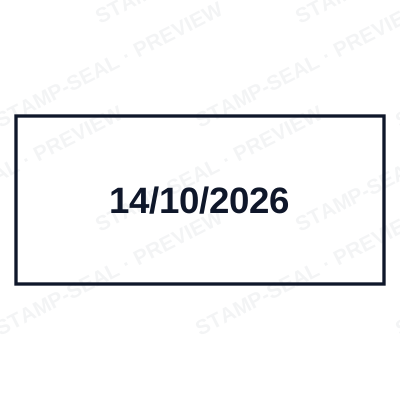
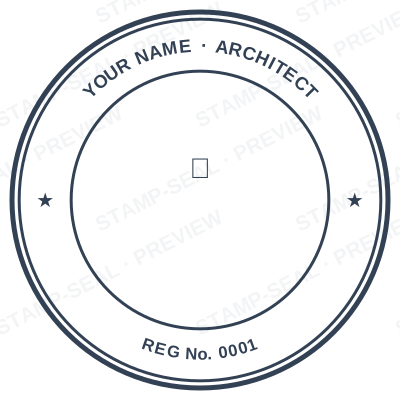
Open the stamp maker with any of these
Every preview on this page carries a faint Stamp-Seal watermark. Your own download does not: the editor renders your stamp again, clean, as a transparent PNG, an SVG or a PDF. See the full template library.
A seal placed on a drawing is not the same job as a seal placed on a letter. Dropped in as a screen-resolution PNG it prints grey and soft, it cannot be snapped to anything, and it makes the sheet heavier every time the drawing is copied. What a drawing office wants is geometry: lines on a layer, at the size the stamp really is, that plot like the rest of the sheet. That is what the DXF in this pack is.
What the editor gives you
- DXF R12, the oldest and most widely readable version of the format, so it opens in full CAD packages, in the free viewers, and in the software a die cutter uses.
- Drawn at real size: 55.88mm across, which is 2.2 inches, the width of a physical rubber stamp. The file states millimetres, so an insert into a metric drawing lands correctly with no scaling step.
- One layer, called STAMP. Freeze it, recolour it or set its line weight without touching anything else on the sheet.
- Every ring, frame, rule and word is geometry rather than a picture, so it plots as linework and adds kilobytes rather than megabytes to the drawing.
- The lettering is placed as individual TEXT entities, each rotated where it sits in the design, including the wording that curves around the ring. Your CAD program draws them in its own font, so the letterforms will not match the PNG exactly.
- What the DXF cannot carry: gradients, drop shadows, foil and gloss. DXF has no way to express them and a drawing does not want them, so they are dropped rather than approximated.
- Two TIFFs come with it, transparent and on white, uncompressed and tagged with the real physical size. Submission portals and older document systems often list TIFF as an accepted type and do not list PNG.
- Everything in the $3.00 pack is still there: the transparent PNG, the white PNG, the JPG, the print versions, the SVG, the print-ready PDF, the EPS and the Word file.
Making one, step by step
- Open the stamp maker and pick a shape, or start from a template.
- Type your wording, then set the colour, border and size.
- Add the date, time, serial number or logo, and position each one.
- Preview it live, then download. Designing and previewing are free.
Questions people ask
What opens the DXF?
Any program that reads DXF, which is most of them: AutoCAD and AutoCAD LT, BricsCAD, DraftSight, LibreCAD, QCAD, Fusion 360, SolidWorks, Inventor, Revit, Vectorworks, QGIS, Inkscape and Illustrator, along with the laser and CNC front ends such as LightBurn. R12 is the version chosen precisely because it is the one nothing refuses.
Is there a DWG?
No, and it is worth saying why rather than letting you find out after paying. DWG is a closed binary format and writing a valid one needs a licensed library. Every CAD program reads DXF natively and can save it out as DWG in one step, so the extension you need is one Save As away and nothing is lost in between.
Will the seal look identical to the PNG?
The geometry will. The lettering may not, because the DXF stores each character as text and your CAD program draws it in its own font. If the seal has to match the artwork exactly, place the TIFF or the PNG from the same pack; if it has to be editable linework that plots, use the DXF. The pack has both, which is the point of it.
Can a stamp maker cut a physical die from this file?
That is one of the things it is for. The DXF is at real size on a single layer, which is the form an engraver or laser cutter asks for. Confirm the size and the minimum line width with whoever is cutting it, since a very fine hairline that plots on paper may not survive being cut in rubber.
Do I need the CAD pack, or is the $3.00 one enough?
The $3.00 pack covers documents: PDFs, Word files, letterheads, invoices, anything where the stamp is placed as a picture. Buy the CAD pack when the seal goes onto a drawing that will be plotted, when a portal asks for TIFF by name, or when somebody is cutting a die from it. If none of those is true, the smaller pack is the one you want.
What resolution is the TIFF?
It is written at the same print resolution as the rest of the pack, 2400 pixels across, uncompressed, with the physical size recorded in the file so a placing application knows how big the seal really is. That is comfortably past the 600 dpi a print shop usually asks for at seal size.
Does the stamp keep its date and serial in these files?
The DXF and the TIFF are both fixed at the moment they are generated, like every image in the pack. The one file where the date and the serial stay live editable text is the Word document, which is included in the CAD pack as well.
From the Stamp-Seal blog
- Which stamp file format to download, and why there are six of them
- Stamp terms explained: die, ring text, dwell, bleed and the rest
- How to add a stamp to a PDF without Acrobat
Stamp-Seal is a design tool. This page describes common commercial practice rather than giving legal, tax or financial advice, and practice changes. Where a specific document matters, check the requirement with the body receiving it. Only produce a mark your own organisation or your own credentials are entitled to use.